

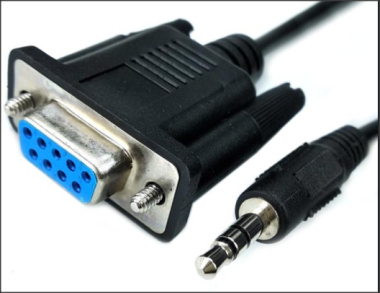
 Modern electronic devices are becoming increasingly compact. As a result, there is often not enough space to install a full-size RS-232 serial port for diagnostics, firmware updates, and other service operations.
To save space, many manufacturers replaced the standard RS-232 connector with a compact 3.5 mm jack. For this purpose, a special RS-232 to 3.5 mm jack cable is used, allowing the device to be connected to a computer. However, these cables are relatively uncommon and can be difficult to find in stores.
The easiest solution is to purchase an RS-232 connector, a 3.5 mm jack plug, and about 1.5 meters of three-core cable from an electronics store. You can then assemble the cable yourself using the wiring diagram below. This option is usually less expensive than buying a ready-made cable.
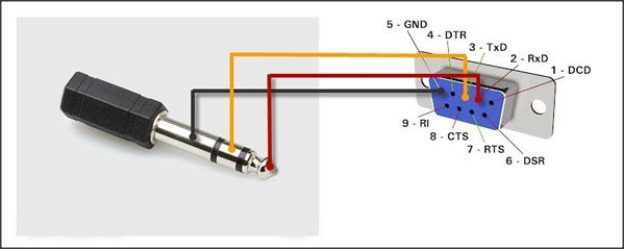
The video below demonstrates the complete wiring process for an RS-232 to 3.5 mm jack cable.
If you need this cable to restore a B6 METAL or B6 Full HD satellite receiver, follow these instructions.